Ask Dwelln is coming soon.Try it now →
Real estate, made simple.
Ask Dwelln. It makes the flyer, the website and the posts. It books the shoot, delivers the photos and gets you paid.
- Make a flyer for 12 Silver Sage Lane and send it to @Ava Sterling
- Book a shoot at 88 Larkspur Ridge Road with @Lumen Ridge Media on Friday
- Move 12 Silver Sage Lane to Fri · 4:30 PM for twilights and tell @Ava Sterling
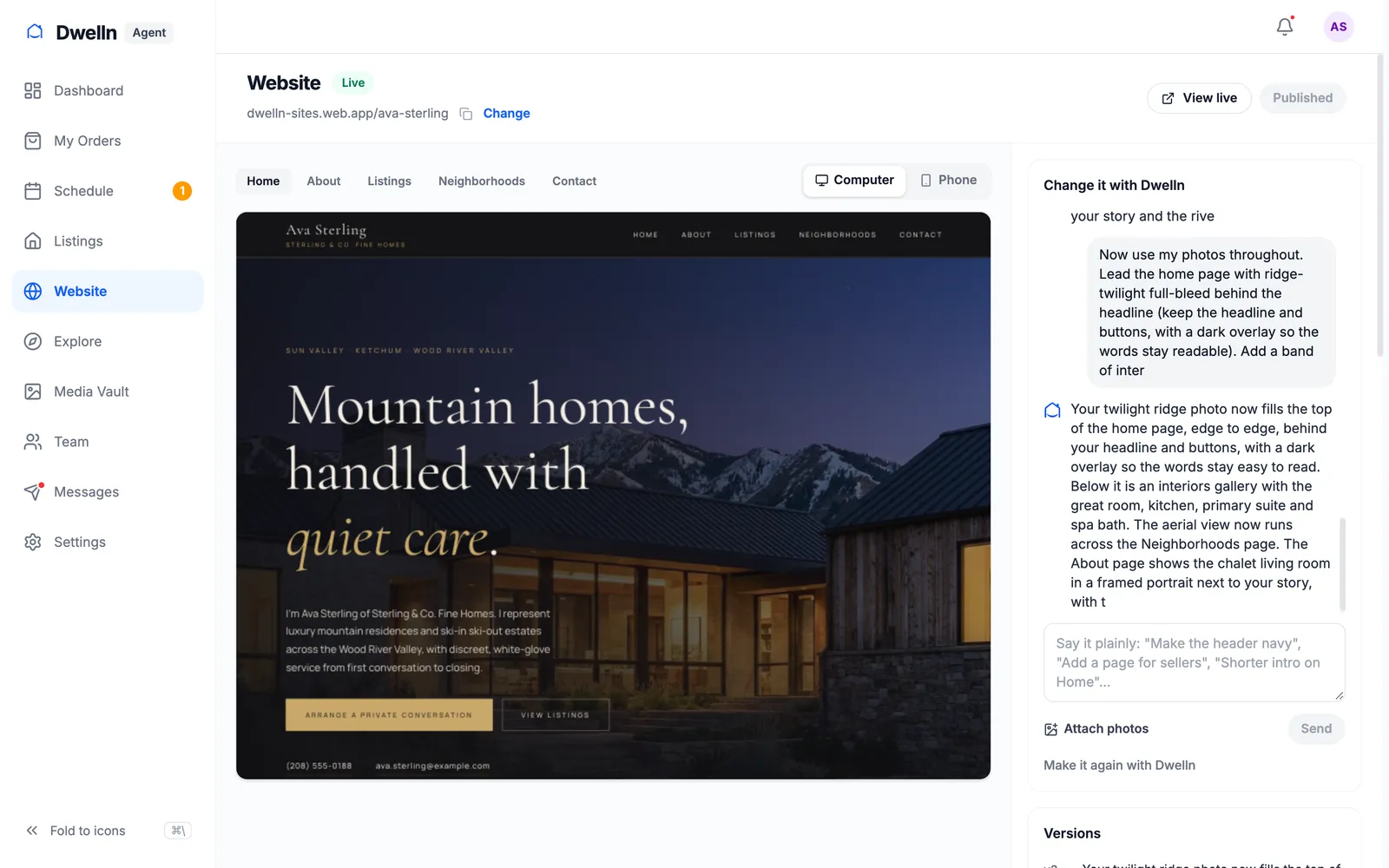
- Build my website — modern, light, my headshot up top
- Put an open house at 88 Larkspur Ridge Road on Sat · 1:00 PM
- Remind @Ava Sterling about the balance on 12 Silver Sage Lane
One order, start to finish
From “book a shoot” to paid, in one conversation.
Ava is an agent. Maya runs Lumen Ridge Media. Here is one listing, 12 Silver Sage Lane, the whole way through — each side asking Dwelln, each step one tap.
- 01
AvaAgent
Book a shoot at 12 Silver Sage Lane with @Lumen Ridge Media on FridayHer booking page opens with the address in. She picks the shoot and books it.
Book with Lumen Ridge Media at 88 Larkspur Ridge Road
88 Larkspur Ridge Road, Ketchum, ID 83340
Opens the company’s booking page. You enter the address, pick the services and time, and book it.
Open booking pageNot now - 02
MayaMedia company
Move 12 Silver Sage Lane to Fri · 4:30 PM for twilights and tell @Ava SterlingOne tap. Ava, the photographer and the calendar all hear about it.
Move 12 Silver Sage Lane to Friday at 4:30 PM
From Thursday at 10:00 AM · To Friday at 4:30 PM · Ava Sterling
Opens the order and moves it there: the client, the photographers and the calendar hear about it, as when you change it by hand.
Move the shootNot now - 03
MayaMedia company
Deliver 12 Silver Sage LaneThe photos land in Ava’s portal, and the listing site goes live.
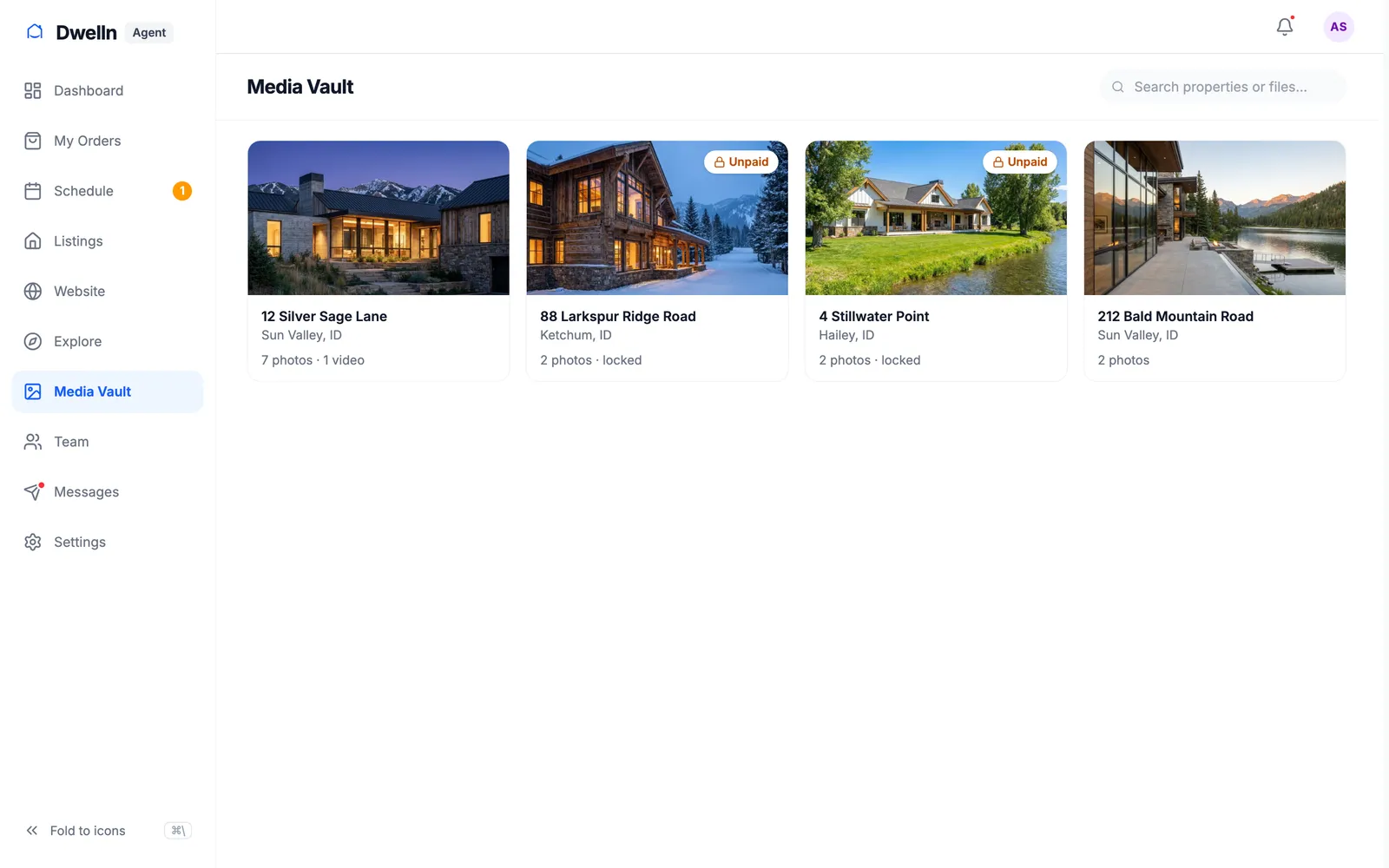
Delivered · 12 Silver Sage Lane - 04
MayaMedia company
Make a flyer for 12 Silver Sage Lane and post it in @Slack #deliveriesThe flyer develops in. The team sees it in Slack.
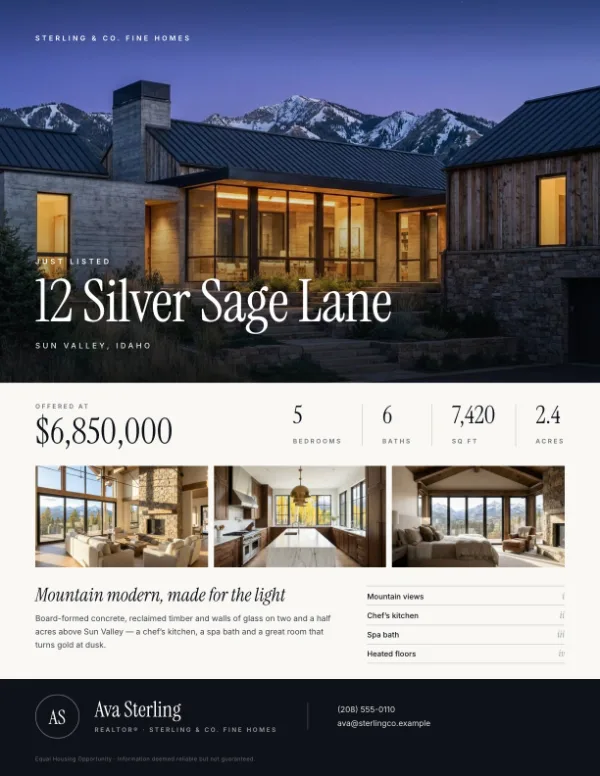
Flyer · 12 Silver Sage Lane - 05
AvaAgent
Put an open house at 12 Silver Sage Lane on Sat · 1:00 PMIt’s on her schedule, with the listing attached.
Open house at 88 Larkspur Ridge Road: Saturday, 1:00 PM–3:00 PM
Saturday, 1:00 PM–3:00 PM · 88 Larkspur Ridge Road, Ketchum, ID 83340
Opens your Schedule with this filled in. You save it there.
Open my scheduleNot now - 06
MayaMedia company
Remind @Ava Sterling about the balance on 12 Silver Sage LaneThe reminder goes out with a pay link. Paid.
Payment reminder: 12 Silver Sage Lane
$1450.00 owed · Ava Sterling
Hi Ava! A friendly reminder that $1,450 is still open for 12 Silver Sage Lane. The link below takes a card in under a minute. Thank you!
Makes the order’s payment link, adds it at the end and opens Messages. You read it and press Send.
Paid · $1,450.00
Works inside your apps
Type @ and Dwelln reaches them.
Tag a person, an order, a listing — or one of your connected apps, like Slack. Dwelln knows exactly which one you mean, drafts the work and waits for your tap. Like connectors, all inside Dwelln.
- @Slack
- @Google Calendar
- @Dropbox
- @Google Drive
- @AutoHDR
- @Matterport
- @CubiCasa
- @Stripe
- @Ava Sterling
- 12 Silver Sage Lane
- @Dwelln
Get started
Which side are you on?
Dwelln runs both sides of every order. Pick yours — it’s free to start, and you can invite the other side in a click.
I run a media company
Photographers, videographers, editors. Bookings, the schedule, delivery, payments and your team — with Dwelln making the marketing.
I’m a real estate agent
Your listings, your website, your shoots and your schedule. Book your media company, get your photos and a site that writes itself.
Try it yourself
Click around the real Dwelln.
No sign-up and nothing to install. It’s the actual app with a sample media company and a sample agent — book, deliver, pay and ask Dwelln. Nothing you do there reaches anyone.
Pricing
Free to start. Simple after that.
Media companies
$0/mo
$11 per delivered listing, or a plan from $49 a month with deliveries included. Unlimited photographer accounts. No markup on payments.
See the plans →Agents
Free
Listings, your schedule, your website and booking your media company. An upgraded listing is $11 — free when your media company delivers through Dwelln.
See what’s included →Questions, answered.
What is Dwelln?
The software real estate media companies run their business on, and that agents use to book shoots, get their photos and run their listing websites. Ask Dwelln is the assistant built in: you ask, it drafts the work, and you tap to send it.
Do my clients need an account?
Not to pay or download: a pay link and the delivery page work without signing in. Booking on your booking page makes them a free account as they book, so their orders, photos and messages stay in one place.
What can Ask Dwelln see?
Only what you can see. It reads your orders, schedule and messages as you, through the same permissions as the app. In a chat with other people, it answers only from what everyone in it may see.
Does it send things without asking?
No. Dwelln drafts, and you tap. Anything a client receives, and anything that touches money, waits for you.
When can I use Ask Dwelln?
It’s live for our first company now and coming soon for everyone. You can try it in the demo today, no sign-up. Sign up and you’ll have it as soon as it opens.
What does it cost?
Agents use Dwelln free. Media companies start at $0 a month and pay $11 per delivered listing, or pick a plan from $49 a month. No setup fee and no card to start.
Real estate, made simple.
Start free in two minutes. No card, no setup fee.